


Hey Habbos! Wings are here! In the most recent update to the Habbo Hotel: Origins client, which rolled out this week, we have been royally treated! A long requested room sorting feature, Wings, has landed! Read on for your quick-fire guide to what Wings are, and how you might want to use them!
 |
Firstly, let's think of Wings as kind of a department store. Or Buckingham Palace. You decide. Wings are a new way to organise your ever growing collection of private rooms within the Hotel! They work in a very similar way to how the Public rooms are categorised - giving you more control over how your rooms appear in the navigator and allowing you to create some sort of order for all those *ahem* storage rooms.
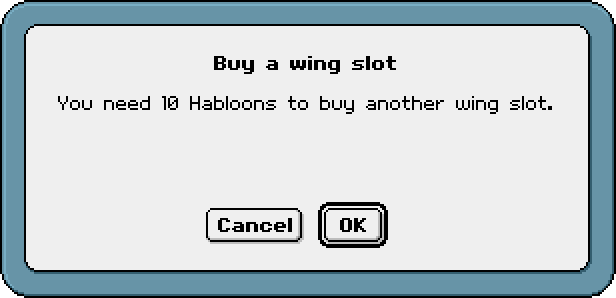
Habbo Club members automatically receive their first two Wings for free - with further slots available to purchase at 10 Habloons a pop.
 |
 |
| To find this new feature, navigate to your "own rooms" in-game, and select the new "Edit Wings" button in the top right corner: | 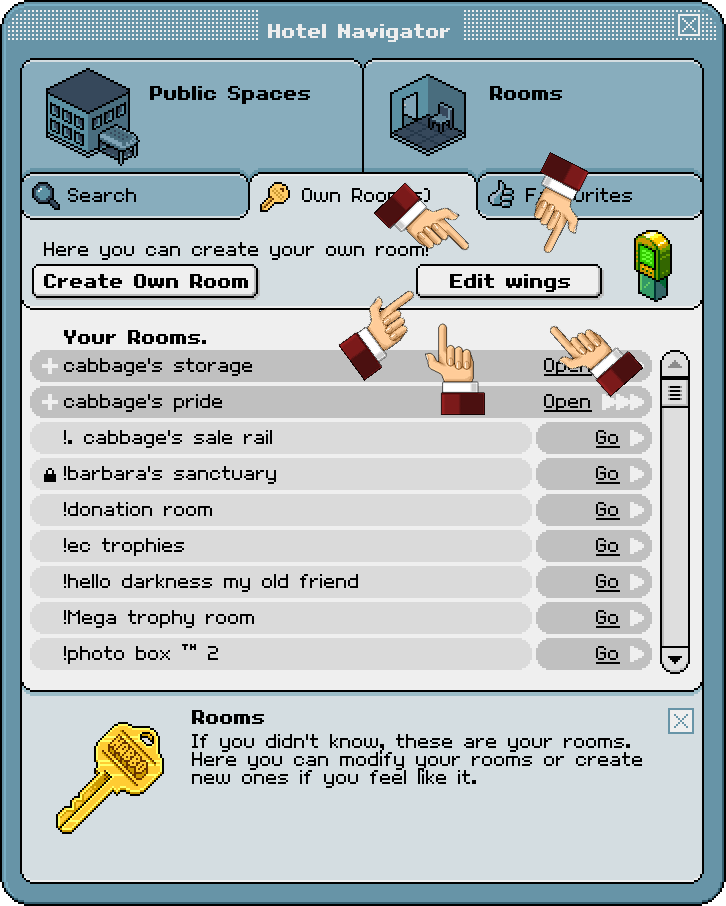 |
 |
|
|
|
|
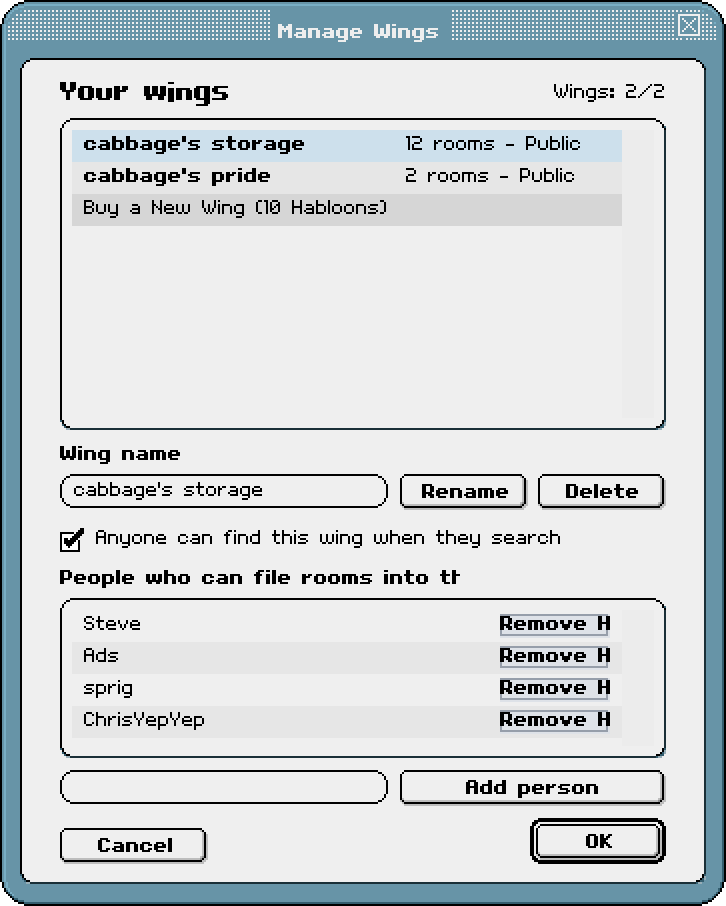 |
From here you will be shown this window. This is where you can rename your slots, decide whether they remain private (no one can see them) or whether you want to open them up so the community can see your wonderful collection of creations. |
 |
|
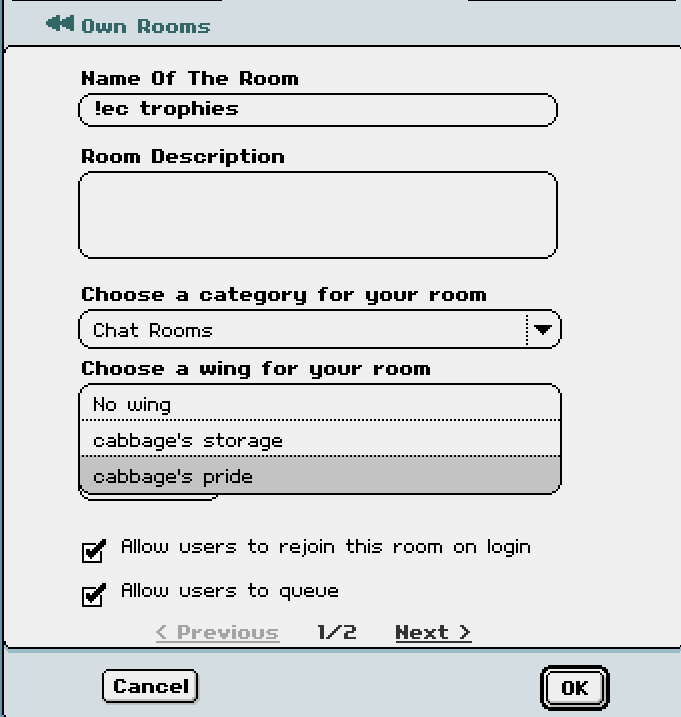
But how do I add rooms to my wing? Good question! Firstly, you'll want to navigate to the room settings option, just the same as where you'd go to change the room name, password, motto etc. You'll notice in this window there is a new addition (as shown here, just under the "room category" option) where you can click to access the drop down menu, just like the categories. From here, simply select which wing you would like your room to fall under, and save the settings just as you normally would! Voilà! You can just as easily remove your room from a wing, using the same method, should you wish. It's worth noting: When you assign a room to a wing, it will disappear from your normal list of "own rooms". It can easily be found by selecting the wing which you placed the room into, though! |
 |
 |
But wait! There's more... that's right! Another fine feature of this new tool, which you may have spotted in the screenshot above, is that you can add friends who can join your wing. This means that Habbos you choose, can add their rooms into your wing!
Sounds like the perfect set-up for room collaborations and bigger projects, don't you think?
What are you waiting for? Give it a go yourself! Drop a comment if this helped you or if you have any questions, happy creating!